Why modern sign shops are moving away from desktop tools
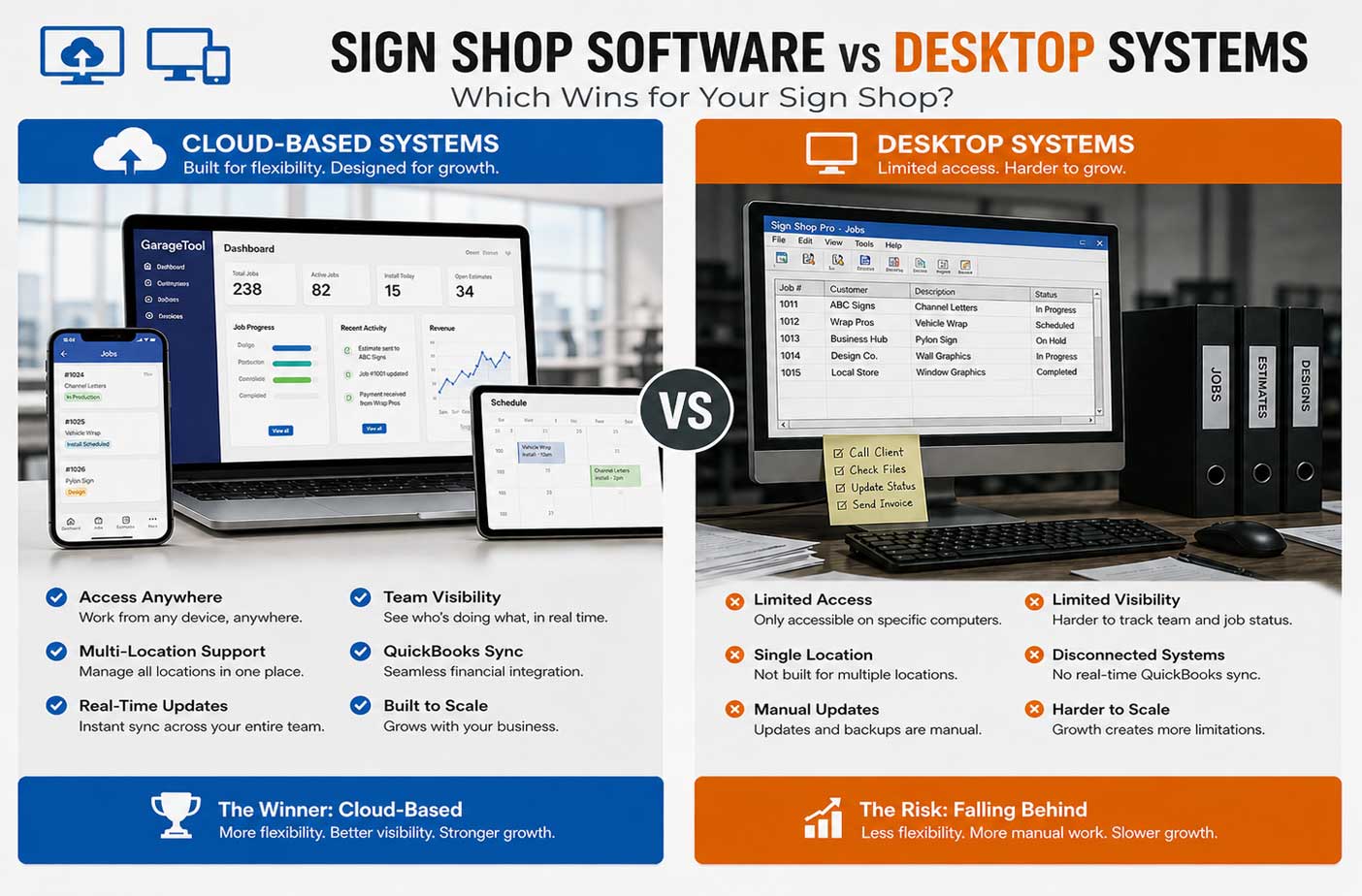
For years, desktop software was the standard for running a sign shop.
Quotes were created on a single computer. Job details were stored locally. Files lived on office machines or internal servers. If you needed access, you had to be physically in the shop.
At the time, that made sense.
But the way sign shops operate today has changed.
Projects move faster. Teams are more distributed. Customers expect quicker responses. Owners want visibility even when they’re not on-site. And many businesses are managing more than one location.
This shift has pushed more shops toward cloud based quoting software and modern systems that are built for flexibility, not restriction.
The question is no longer if cloud tools are relevant.
It’s which system actually supports how your shop works today and where it’s heading next.
Desktop software: where it still works—and where it breaks
Desktop systems still have a place in some shops.
They’re familiar. They don’t rely on internet access. And for very small teams working in a single location, they can feel simple and reliable.
But as soon as complexity increases, limitations start to show.
Common constraints of desktop systems
- Access is limited to specific machines
- Data is stored locally and can be harder to share
- Updates often require manual installation
- Collaboration between team members is restricted
- Remote access is difficult or impossible
These issues don’t always appear immediately. But as a shop grows, they become harder to ignore.
Cloud-based systems: built for how shops operate today
Cloud-based platforms take a different approach.
Instead of tying your data and tools to one computer, everything is accessible through the web. That means your estimates, jobs, schedules, and customer details are available wherever you need them.
For modern sign shops, this is both a convenience and a competitive advantage.
1. Remote access: running your shop from anywhere
One of the biggest differences between desktop and cloud systems is access.
With desktop software
If you’re not in the shop, you’re disconnected.
- You can’t check job status easily
- You can’t send a quote quickly
- You can’t see what your team is working on
- You rely on calls or messages for updates
With cloud based quoting software
Your shop is always within reach.
- Access estimates from your laptop, tablet, or phone
- Check schedules while on-site or on the road
- Respond to customer inquiries immediately
- Monitor operations without being physically present
For shop owners and managers, this level of access changes how decisions are made.
Instead of waiting until you’re back at your desk, you can act in real time.
2. Multi-location support: scaling beyond a single shop
Many sign businesses eventually expand.
Whether it’s a second location, a mobile install team, or separate divisions for different types of work, growth introduces complexity.
Desktop limitations
Desktop systems are not built for multi-location operations.
- Data is often siloed in one location
- Sharing information between shops is difficult
- Reporting across locations becomes manual
- Visibility is limited
Cloud advantage
Cloud systems are designed for scalability.
- Multiple locations can operate in the same system
- Data is shared instantly across teams
- Owners can compare performance across shops
- Expansion doesn’t require rebuilding your workflow
For growing businesses, this is one of the most important differences.
The system grows with the shop instead of holding it back.
3. Team visibility: knowing who is doing what (and when)
As teams grow, coordination becomes more challenging.
Who is working on which job? What stage is each project in? Are installs scheduled correctly?
Desktop workflow
With desktop-based sign shop quoting software, visibility is often fragmented.
- Updates depend on manual entry
- Team members rely on separate tools or communication
- Information may be outdated or incomplete
- Managers spend time chasing updates
Cloud workflow
With modern sign shop management software, visibility is built in.
- Job status updates in real time
- Team schedules are shared across the system
- Everyone works from the same information
- Managers can see progress instantly
This reduces confusion and helps keep projects moving without constant oversight.
4. Real-time updates: eliminating delays and miscommunication
In a busy sign shop, things change quickly.
A job gets approved. A schedule shifts. A customer requests a revision. An install gets moved.
Desktop challenges
With desktop systems:
- Updates may not sync across users immediately
- Information can become outdated
- Team members may act on incorrect data
- Communication gaps increase
Cloud advantage
Cloud-based systems update instantly.
- Changes are reflected across the entire system
- Everyone sees the latest information
- Decisions are made based on current data
- Communication becomes more streamlined
This real-time connection helps prevent mistakes that can slow down production or affect customer satisfaction.
5. QuickBooks sync and financial accuracy
Accounting is another area where system choice matters.
Many sign shops rely on QuickBooks for financial tracking. But how that integrates with your workflow depends on the software you use.
Desktop setup
With desktop tools:
- Data may need to be entered twice
- Updates between systems are manual
- Errors can occur during transfer
- Financial visibility is delayed
Cloud-based integration
Modern cloud based quoting software often integrates directly with QuickBooks.
- Estimates convert into invoices automatically
- Payment data stays connected to the job
- Financial records update in real time
- Less manual entry means fewer errors
This connection between operations and accounting creates a clearer picture of your business.
So which one actually wins?
The answer depends on how your shop operates.
If your business is:
- small
- single-location
- run by one or two people
- not planning to scale
Desktop software may still feel sufficient.
But for shops that are:
- growing
- managing multiple employees
- handling higher job volume
- looking to improve efficiency
Cloud-based systems offer clear advantages. The shift isn’t solely about technology. It’s about removing limitations.
Why more sign shops are choosing cloud systems
The move toward cloud isn’t happening because it’s the newest trend on the block. It’s happening because it solves real operational problems.
Cloud-based systems help shops:
- respond faster to customers
- keep teams aligned
- reduce manual work
- improve accuracy
- scale without adding complexity
For modern sign businesses, those improvements are difficult to ignore.
Where GarageTool fits into this shift
GarageTool was built as a fully cloud-based platform specifically for wrap and sign shops.
Instead of adapting general tools to fit your workflow, it’s designed around how sign businesses actually operate—from estimating to installation and invoicing.
With GarageTool, shops can:
- create and send estimates from anywhere
- manage jobs across multiple locations
- track team activity in real time
- keep schedules and workflows connected
- sync financial data with QuickBooks
By combining sign shop quoting software with full operational management in the cloud, GarageTool gives shops the flexibility and visibility that desktop systems struggle to provide.
The real difference: flexibility vs limitation
At its core, the decision comes down to one question:
Do you want your system to limit how your shop operates, or support how it grows?
Desktop systems were built for a different era of business.
Cloud systems are built for how sign shops operate today.
And as expectations continue to evolve, that gap will only become more noticeable.
Ready to move your shop forward?
If you’re still relying on desktop tools or disconnected systems, now is the time to rethink how your shop operates.
GarageTool helps sign shops run more efficiently with cloud-based estimating, job tracking, scheduling, and automation—all in one place.
See how GarageTool can simplify your workflow and give your shop the flexibility to grow.
- ©2026 GarageTool
- Privacy policy
- Terms of service
- Sitemap